A Carfax sample report and an AutoCheck example show you exactly what you are paying for before you pay. Below are real supplier reports with notes on their key sections: where to look for accidents, how to read the title section and what to watch for in the mileage history.
Check a VIN
Carfax sample
A Carfax report opens with a summary: number of owners, reported accidents, title problems, the last known odometer reading and how the car was used. Red flags in the summary are explained in detail further down. The main sections are:
- Accident / Damage: reported accidents with date, state and sometimes the point of impact and severity;
- Title History: a check across all states for salvage, flood, rebuilt, lemon and other brands that cut a car’s value sharply;
- Ownership History: how many owners there were, where and for how long each one drove the car and how many miles a year;
- Detailed History: every record in date order, including service visits, inspections, registrations, auction sales and odometer readings.
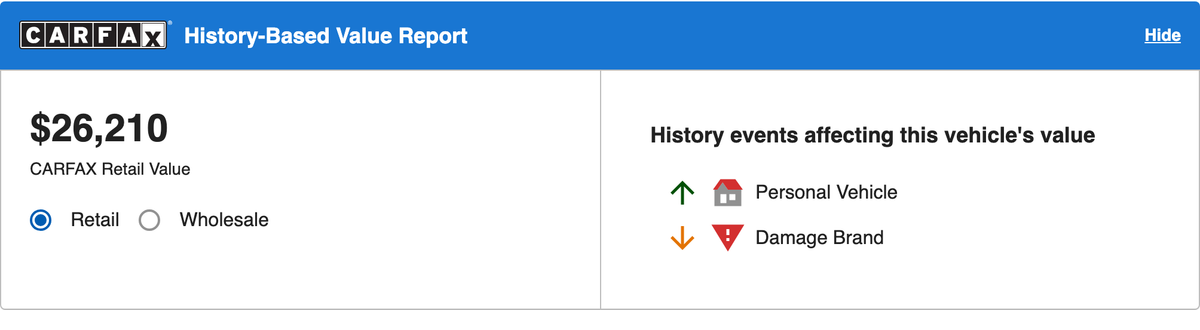
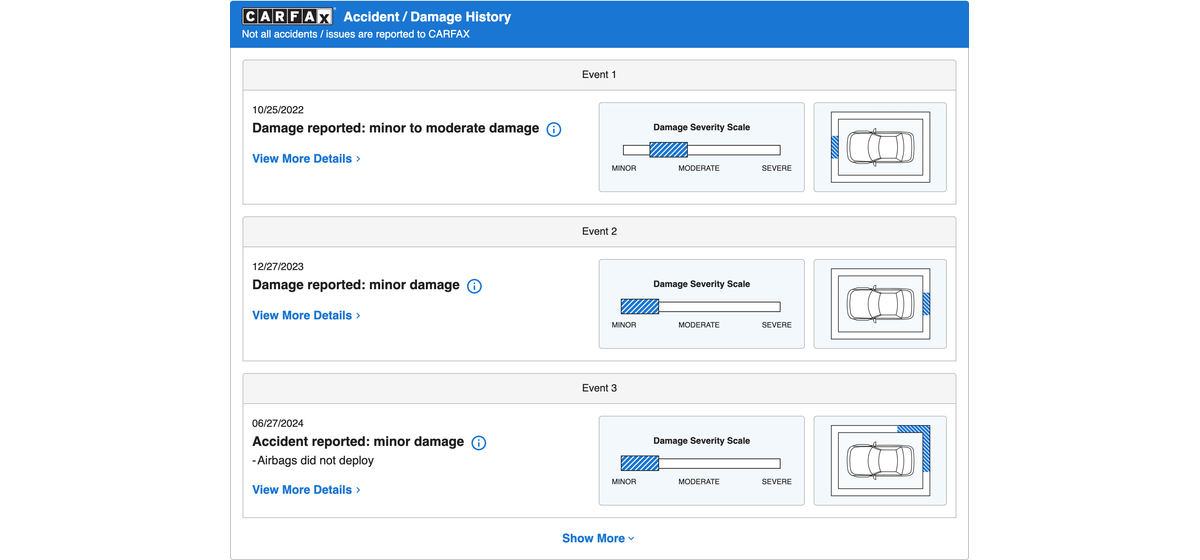
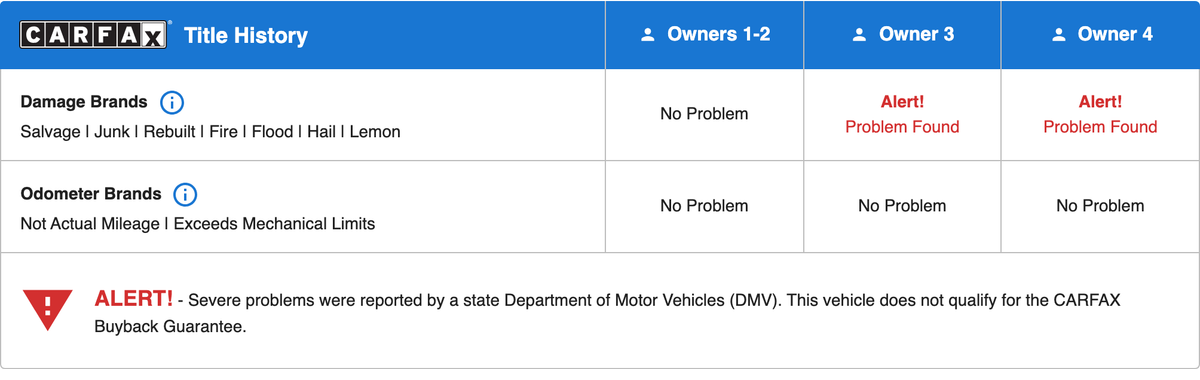
This is a real Carfax report for one vehicle, shown as an illustration. The Carfax and AutoCheck examples may be for different vehicles.
VinKiosk is an independent reseller and is not affiliated with Carfax, Inc. or Experian. Carfax and AutoCheck are trademarks of their respective owners.
AutoCheck sample
An AutoCheck report opens with the AutoCheck Score and the range in which cars of the same year and class usually fall. A score below that range is a reason to read the rest closely. The main blocks are:
- Title / Problem Check: title brands, total losses, flood, fire and theft;
- Odometer Check: mileage readings and signs of a rollback or an odometer replacement;
- Auction Check: auction sales with dates and damage notes where they were recorded;
- Usage: personal, rental, taxi, fleet or lease use;
- Full History: all records by date, much like the Detailed History section on Carfax.
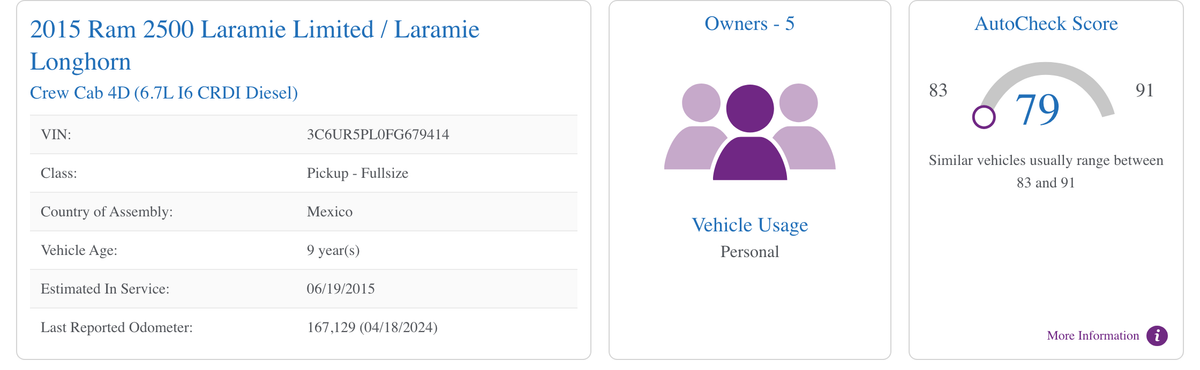

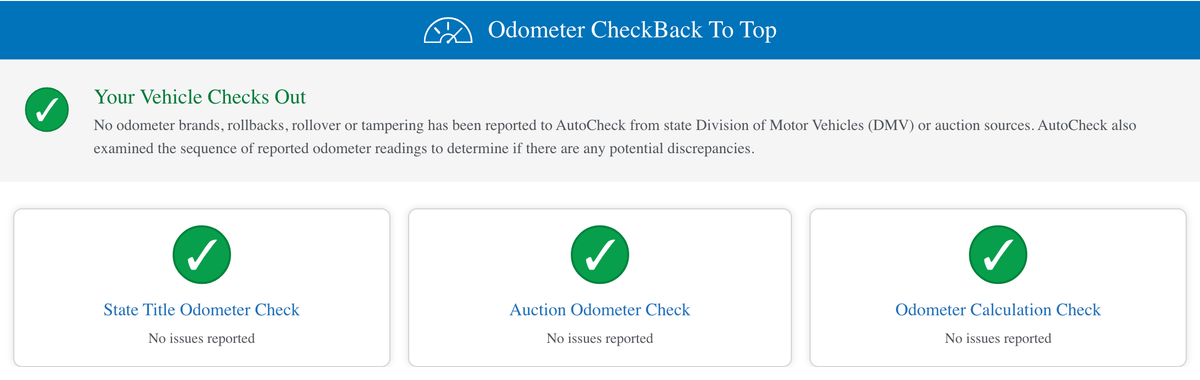
This is a real AutoCheck report for one vehicle, shown as an illustration. The Carfax and AutoCheck examples may be for different vehicles.
VinKiosk is an independent reseller and is not affiliated with Carfax, Inc. or Experian. Carfax and AutoCheck are trademarks of their respective owners.
How to read a report
Start with the summary and the title section. A salvage or flood brand makes a car more expensive to fix, harder to insure and harder to sell later. Then compare the mileage in the report with the odometer and the listing; a gap of tens of thousands of miles speaks for itself. Look at auction dates too: a car offered several times within a few months was most likely repaired after damage. An empty history is not always good news either, since it can mean repairs were done off the books. Ready to check your car? Enter the VIN in the form above, or read which report to choose.